Best Managed WordPress Hosting in 2026: Fast, Secure & Affordable Options

I still remember one client project where everything looked perfect… until traffic hit. We had built a clean WooCommerce store, optimized images, installed caching, and even followed every “speed optimization checklist” out there. But the moment ads started bringing traffic, the site slowed down, checkout broke, and we lost sales. The problem was not design. Not plugins. Not even WordPress itself. It was hosting. That was the moment I stopped treating hosting as a “background decision” and started testing managed WordPress hosting seriously across real projects, not just demo sites. Over the past few years, I have deployed multiple client websites, landing pages, affiliate blogs, and WooCommerce stores across different hosting providers. Some performed incredibly well. Others looked good on paper but failed under real-world pressure. This guide is not a generic “Top 10 list.” It’s based on actual usage, mistakes, wins, and a few expensive lessons. What Managed WordPress Hosting Really Means (Beyond Marketing) Let’s clear one thing first. Most hosting companies say they offer managed WordPress hosting. But in reality, there are two very different types: 1. “Semi-managed” (Marketing version) 2. True Managed WordPress Hosting The difference becomes obvious only when: My Real Testing Setup (So You Know This Isn’t Guesswork) Instead of relying on homepage speed tests, I used: What I Measured: What I Learned After Testing Managed WordPress Hosting Here’s something most blogs won’t tell you: One surprising result: A “premium” host performed slower than a mid-range provider during traffic spikes because of aggressive resource throttling. Best Managed WordPress Hosting in 2026 (Based on Real Use) Instead of dumping a list, I’ll walk you through actual use cases. 1. The Balanced Performer (Best for Most Users) This category is where most people should start. What I experienced: Best for: If you’ve read my guide on: Cheapest Website Hosting for Beginners (Get Started Now)], you’ll notice this is the upgrade path once your site starts growing. 2. The Speed-Focused Hosting (For SEO & Performance) When I tested SEO-heavy blogs, one thing became clear: Speed directly impacted rankings and bounce rate. Real scenario: A content site moved from shared hosting to managed WordPress hosting and saw: What stood out: Combine this with strategies from: WordPress Website Running Slow? Here’s How to Fix It] and you get serious performance gains. 3. Best Managed WordPress Hosting for WooCommerce This is where things get interesting. Most hosting works fine for blogs… but fails for eCommerce. My real WooCommerce test: Results: Key features that mattered: If you’re building stores, also check: WooCommerce vs Shopify 2026: Which Ecommerce Platform Should You Choose?] 4. Budget-Friendly Managed WordPress Hosting (Yes, It Exists) Let’s be honest. Not everyone can afford premium plans. I tested some “affordable managed” options, and here’s what I found: What worked: What didn’t: This aligns with my experience in: Is Hostinger the Best Hosting for Small Business Websites? (Real Experience Guide)] Comparison Table Idea (Add to Your Blog) You can include a table like this: Hosting Type Speed Best For Price Range Scalability Shared Hosting Low Beginners Cheap Low Managed WordPress Hosting High Growing sites Medium High Cloud Hosting Very High Advanced users High Very High Hidden Features That Actually Matter (Not Marketing Buzzwords) Most people look at: But after testing, here’s what REALLY matters: 1. Server-Level Caching Plugin caching is good. Server caching is better. 2. Staging Environment You’re able to try updates or new features safely without risking your live website going down. 3. Automatic Backups Saved me multiple times when updates broke sites. 4. Security Layers Brute-force protection + malware scanning According to WordPress official recommendations (external reference: https://wordpress.org/support/article/hardening-wordpress/), security at server level is critical. Real Case Study (Client Project) One client had: What I did: Result: This complements strategies from: WordPress Website Redesign: How to Improve Speed, SEO & Conversions] When Managed WordPress Hosting is NOT Worth It Let’s be honest again. You don’t need managed WordPress hosting if: In that case, start cheap, then upgrade. Mistakes I Made (So You Don’t Repeat Them) Mistake 1: Choosing Based on Price Only Cheap hosting cost me more in lost sales. Mistake 2: Ignoring Backend Speed Slow admin dashboard = slow workflow Mistake 3: Overlooking Support Quality Support matters when things break Visual Ideas for Your Blog Image Idea 1: “Before vs After Hosting Upgrade” Alt text: managed WordPress hosting speed comparison Image Idea 2: “Hosting Architecture Diagram” Alt text: managed WordPress hosting infrastructure External Insight (Why This Matters More in 2026) Modern websites are heavier: Google’s focus on performance (Core Web Vitals) makes hosting even more important. Reference: https://web.dev/vitals/ Final Thoughts: What I Recommend (Based on Experience) If I had to simplify everything: The real turning point for me came when I realized this: Hosting is not a cost. It’s an investment in speed, SEO, and conversions. Conclusion (Focus Keyword Naturally Included) Choosing the right managed WordPress hosting in 2026 is less about brand names and more about real performance under pressure. Once your site starts growing, the difference becomes impossible to ignore. Your Next Step If you’re serious about improving your website performance: Because the truth is simple… Most websites don’t fail because of design.They fail because of bad hosting decisions.
The Best Tools for Freelancers (Boost Productivity & Efficiency in 2025)
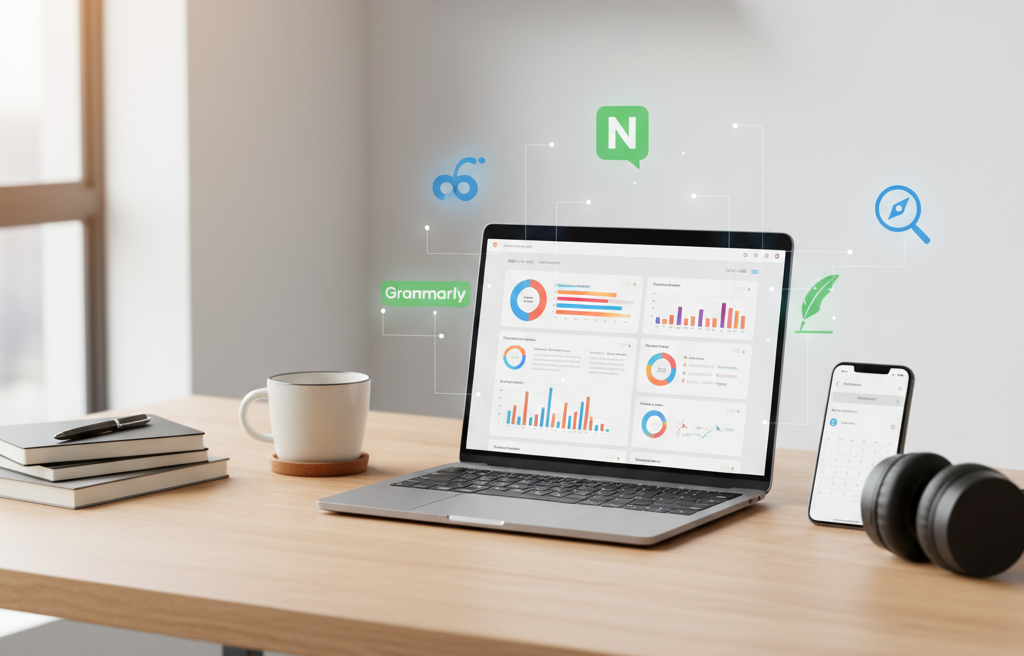
Introduction If you’re a freelancer, you already know how challenging it can be to balance multiple projects, clients, and deadlines at once. Over the years, I’ve tested dozens of tools to simplify my workflow and improve efficiency. That’s why in this post, I’ll share the best tools for freelancers that actually make a difference. Whether you’re managing clients, creating content, or optimizing websites, these tools will help you stay organized, save time, and deliver professional results — just like I do every day in my freelance journey at Elemeentra. 1. Trello – One of the Best Tools for Freelancers to Stay Organized Managing multiple projects can get messy fast. Trello is one of my go-to productivity tools for freelancers. It uses a visual board system that helps track tasks, deadlines, and client feedback. 2. Notion – Among the Best Tools for Freelancers to Manage Projects When it comes to combining notes, task lists, and databases, Notion is unbeatable. I use Notion to plan my content calendar, manage client notes, and even track Elemeentra’s blog ideas. 3. Google Workspace – One of the Best Tools for Freelancers for Client Communication Email and document sharing are part of every freelancer’s day. Google Workspace (Gmail, Docs, Sheets, Drive) makes collaboration seamless and secure. 4. Clockify – The Best Tool for Freelancers to Track Time and Boost Productivity Tracking your time accurately helps you bill clients fairly and manage productivity. Clockify is one of the best free time tracking tools for freelancers. 5. Canva – A Must-Have Design Tool for Freelancers (Without Being One) Freelancers often need to design thumbnails, proposals, or social media graphics. Canva makes that effortless. 6. Grammarly – The Best Writing Tool for Freelancers to Communicate Professionally Good communication builds client trust, and grammatical errors can ruin that impression. Grammarly helps polish your emails, blogs, and proposals. 7. Elemeentra’s Free Tools – The Best Tools for Freelancers to Optimize Websites I’ve built and use several free tools on Elemeentra that every freelancer can benefit from: 🧰 Free SEO Tools by Elemeentra This collection includes essential tools for optimizing your site performance and content — perfect for bloggers, web developers, and digital marketers. ⚡ Website Speed Checker Your site speed directly impacts SEO and user experience. Use this tool to instantly check your website loading time and performance. 🏷️ Meta Tag Generator Save time with this simple yet powerful tool. It generates optimized meta tags for your web pages in seconds — perfect for freelancers managing multiple sites. 8. Slack – A Communication Tool Every Freelancer Should Use Slack isn’t just for big teams. As a freelancer, you can create channels for different clients or projects to keep communication organized. 9. Payoneer & Wise – Reliable Payment Tools for Freelancers Worldwide Handling international clients? Tools like Payoneer and Wise make getting paid simple and quick. 10. LastPass – The Best Security Tool for Freelancers Handling Multiple Clients As freelancers, we often handle multiple client accounts. LastPass securely stores and autofills passwords so you never lose access. Key Insights – Why the Best Tools for Freelancers Matter in 2025 From my experience, the right tools don’t just make you productive — they help you look professional, save time, and deliver better results.Here’s how I use them together: Purpose Tool Benefit Project Management Trello / Notion Organized workflow Communication Slack / Gmail Clear collaboration Design Canva Professional visuals SEO & Website Elemeentra Tools Faster, optimized sites Writing Grammarly Error-free communication Payments Payoneer / Wise Easy client transactions Each tool contributes to smoother client handling, better output, and overall freelance growth. Conclusion If you’re serious about growing as a freelancer in 2025, start integrating these tools into your daily workflow. From managing time to optimizing websites, the best tools for freelancers are the ones that save effort and help you deliver quality. I personally rely on platforms like Trello, Notion, Grammarly, and my own Elemeentra tools to stay ahead in my freelance journey. Try them out — and see how your productivity, confidence, and client satisfaction improve instantly. Ready to Level Up Your Freelance Workflow? Explore more powerful and free tools for your freelance business at Elemeentra.Start optimizing today — your next big project deserves efficiency!