How to Check Website Ranking and Improve Your SEO Performance
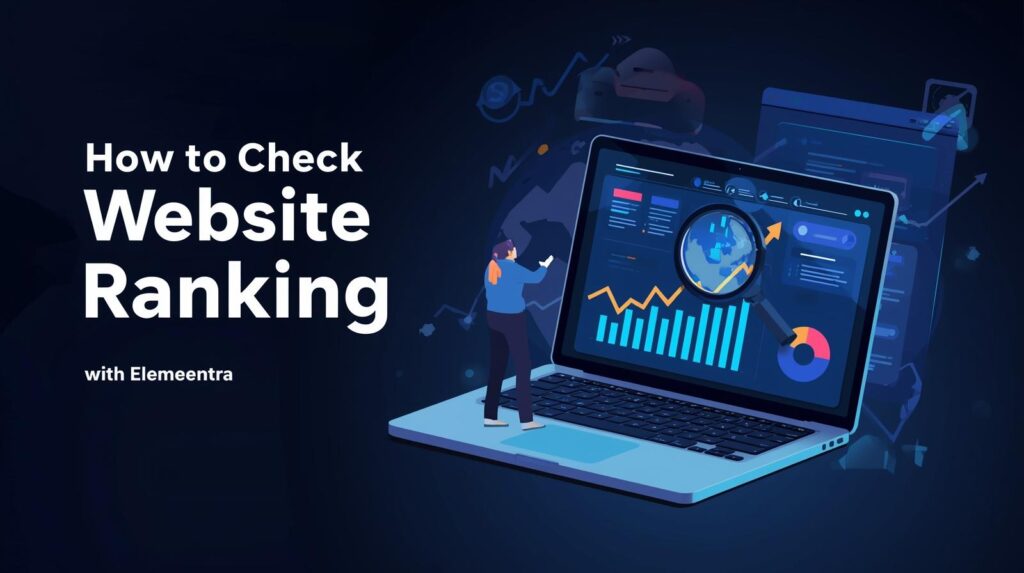
If you’re serious about growing your online presence, the first step is knowing how to check website ranking because you can’t improve what you don’t measure. When I first started my journey as a WordPress web developer, I used to publish blogs and optimize pages without actually tracking where they ranked. The result? Some posts performed well by luck, while others stayed invisible. Once I learned the importance of website ranking checks, everything changed I began understanding what Google valued, what keywords were driving traffic, and how small SEO improvements made a big impact. In this guide, I’ll walk you through the most effective ways to check your website ranking, tools I personally use for my own site Elemeentra.com, and how to use those insights to improve your overall SEO performance. 1. What Is Website Ranking and Why Learning How to Check Website Ranking Is Important Website ranking refers to your web page’s position in search engine results (like Google or Bing) for a specific keyword. For example, if you search “WordPress speed optimization services” and your site appears on the first page, your ranking for that keyword is high. Why rankings matter: 2. How to Check Website Ranking Step-by-Step Guide Now, let’s dive into the practical side. There are several ways and tools to check your ranking from free Google tools to premium SEO platforms. Below are my go-to methods that I use for clients and my own projects. A. How to Check Website Ranking Using Google Search Console (Free & Reliable) If you’re not using Google Search Console (GSC), you’re missing out on Google’s own data about your site. Here’s how to check website ranking using GSC: You can even filter by pages or countries to see which content performs best. Pro tip: Focus on keywords that are ranking between positions 8–20 they’re your quick wins. With small on-page improvements (like meta titles, headings, and internal links), you can push them to the top 5. B. How to Check Website Ranking Using Keyword Tracking Tools While GSC gives a great overview, it doesn’t show competitor data or ranking fluctuations in detail. That’s where third-party tools come in. Tool Features Best For Ahrefs Daily rank tracking, keyword difficulty, backlink data Agencies & professionals SEMrush Competitor analysis, position tracking, traffic insights Comprehensive SEO tracking SERPWatcher (Mangools) Simple interface, daily updates, progress tracking Beginners & freelancers Ubersuggest Affordable, keyword tracking & audit tools Small business owners My Experience:I personally use SERPWatcher for daily keyword tracking because it’s affordable and simple. It sends me weekly email reports showing which pages are gaining or losing positions a great way to stay proactive. C. How to Check Website Ranking Manually for Quick Verification Sometimes, I manually verify rankings by searching in Incognito mode to avoid personalized results.However, manual checking isn’t always reliable due to: So, use this only for rough checks or quick validations. D. Use How to Check Website Ranking Performance Using Google Analytics Although Google Analytics doesn’t show exact keyword rankings, it gives valuable traffic performance insights. Check these metrics: By combining this with GSC data, you can connect rankings with actual visitor behavior not just numbers. 3. How to Interpret Data After You Check Website Ranking Once you know where your website stands, the next step is understanding what the numbers mean. Here’s how I analyze ranking data for clients at Elemeentra: Example: When one of my “WordPress speed optimization” articles ranked at position #12 but had a 7% CTR, I slightly improved the intro, added structured data, and got it to #5 within two weeks. 4. How to Improve SEO Performance After You Check Website Ranking Checking website ranking is only half the game the next half is using that data to improve your SEO. Let’s break it down into practical steps: A. Optimize Existing Content After You Check Website Ranking Most websites already have pages ranking between positions 10–30. These are easier to push up than starting new ones. How to do it: B. Focus on Search Intent After You Check Website Ranking Every keyword has a specific search intent: Make sure your content matches the intent.If a user searches “how to check website ranking,” they want a guide, not a sales page. C. Build Authoritative Backlinks After You Check Website Ranking Google values trust and authority, and backlinks are a major ranking factor. Tried-and-tested methods: Quality backlinks not only improve rankings but also bring referral traffic. D. Optimize Technical SEO After You Check Website Ranking Your website’s technical health also affects your ranking. Checklist: Pro insight: I’ve seen clients’ rankings drop simply due to slow page speeds. After optimizing images and enabling caching, their average positions improved within weeks. E. Track, Test, and Repeat SEO is a continuous process, not a one-time setup.Track your keywords weekly, test new strategies, and adapt as search trends evolve.Use GSC and analytics data to guide your next moves. 5. Key Insights & Common Mistakes When You Check Website Ranking After years of analyzing SEO performance for various clients, here are a few lessons that stand out: ✅ Do This: ❌ Avoid This: Conclusion: Keep Checking Website Ranking to Keep Improving Learning how to check website ranking is like learning how to read your business’s heartbeat it tells you what’s working, what’s not, and where to focus next. When I started tracking rankings consistently, I began seeing patterns: which topics brought long-term traffic, which posts needed improvement, and how even small optimizations led to big SEO wins. So, take time this week to explore your Google Search Console, set up a rank tracking tool, and analyze what your audience actually clicks on. Once you have data, use it to guide your strategy not guesswork. Call to Action Ready to boost your website’s SEO performance?Let’s turn your site into a high-performing, search-optimized powerhouse. 🚀 Explore my WordPress & SEO services →or visit Elemeentra.com to see my latest projects and insights. Author: Abu Bakar Freelance WordPress Developer & SEO EnthusiastHelping businesses grow through clean
How to Check Website Ranking on Google – Free & Easy Methods (2025 Guide)
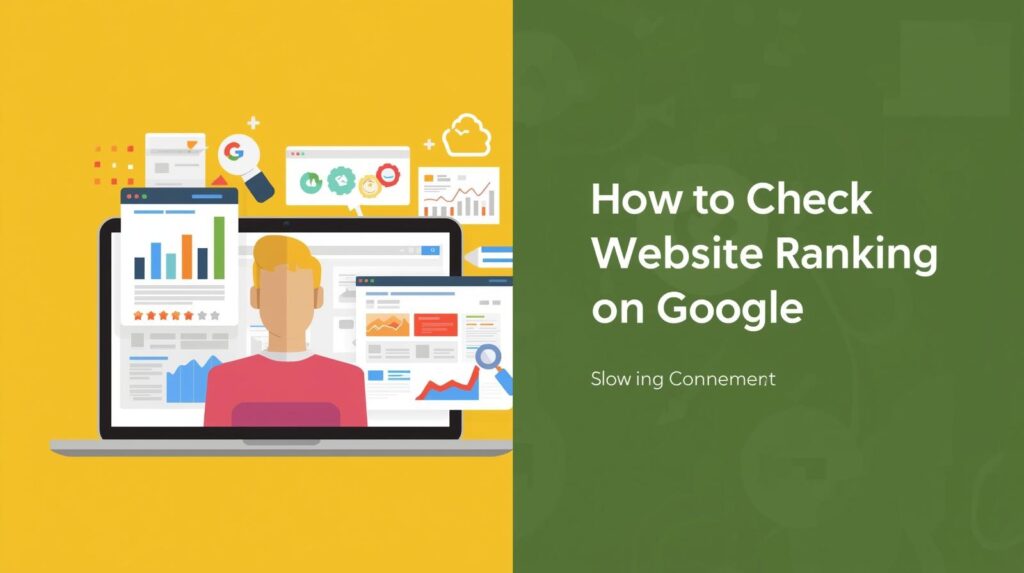
Introduction: Why Checking Website Ranking on Google Matters When I launched my website Elemeentra, I was obsessed with one question:“Where does my website actually rank on Google?” If you’ve ever spent hours perfecting your SEO, writing great content, and optimizing your website only to wonder if Google even noticed you’re not alone. Understanding your website ranking on Google isn’t just about vanity metrics. It tells you whether your efforts are paying off, which keywords are bringing traffic, and what needs improvement. In this guide, I’ll walk you through free and easy ways to check website ranking on Google, the same ones I personally use to monitor and grow Elemeentra’s visibility. Whether you’re a blogger, business owner, or freelance web developer like me, these methods will help you track performance accurately without spending a single penny. 1. What Is Website Ranking on Google? Your website ranking on Google refers to the position your web page holds in search results for a specific keyword. For example, if you search “WordPress web developer,” and your website appears as the 5th result, that means your ranking for that keyword is #5. The higher your ranking, the more visibility and organic traffic you get. Research shows that: That’s why keeping track of your ranking regularly is crucial. Here’s why I always recommend tracking website rankings (especially for small websites like Elemeentra): ✅ Measure SEO performance: See if your keyword strategy is working.✅ Spot opportunities: Identify which keywords are climbing or dropping.✅ Understand audience intent: Learn what kind of content performs best.✅ Stay ahead of competitors: Track where you stand compared to others.✅ Plan better content: Focus on keywords where you’re already ranking between positions 5–20 (the “low-hanging fruit”). Simply put — if you don’t measure it, you can’t improve it. 3. Free & Easy Ways to Check Website Ranking on Google Now let’s look at the best free methods to track your website’s keyword positions accurately. Method 1: Use Google Search Console (Official & Free Tool) Google Search Console (GSC) is the most accurate and reliable way to track your rankings. How to Check Website Ranking with GSC: 👉 Pro Tip:You can filter data by date range, country, or device to get deeper insights. This is my go-to method because it comes directly from Google — no guessing, no third-party estimation. Method 2: Use Free Rank Tracking Tools While GSC is great, it doesn’t show your competitors or real-time rankings. That’s where free rank checker tools come in handy. Here are some trusted tools I’ve personally used: Tool Best For Free Features Website Ahrefs Free Keyword Rank Checker Quick position checks Shows top 10 SERPs ahrefs.com Ubersuggest Keyword tracking & SEO overview Tracks few keywords neilpatel.com/ubersuggest/ SERPROBOT Bulk keyword checking Checks up to 10 keywords free serprobot.com Small SEO Tools Multi-keyword rank checks Unlimited checks (manual) smallseotools.com How I Use Them For example, when I launched a blog on “Best Website Development Company,” I entered my domain into SERPROBOT weekly to see how it moved from position #25 → #9 within 3 months — all through consistent SEO work. Method 3: Manual Search (With a Twist) Yes, you can still manually check rankings — but it must be done correctly, or your results will be biased. Steps: 👉 Tip:Use the “&num=100” parameter in your URL to show up to 100 results per page, like this: This method is not 100% accurate but gives a realistic snapshot of how users might see your ranking. Method 4: Browser Extensions & Add-ons If you prefer convenience, browser extensions like: They also display: Perfect for quick insights while browsing competitors’ sites. Method 5: Track Using Google Analytics + Search Console Integration Integrating Google Analytics (GA4) with Search Console gives you an even deeper view. You’ll see which keywords are driving traffic, bounce rates, and which landing pages rank best. Setup: This combo helps you measure not only where you rank but how those rankings actually impact performance. 4. How to Track Rankings for Multiple Keywords If you’re targeting multiple keywords (like I do for Elemeentra’s SEO blogs), create a Google Sheet to organize everything. Keyword Current Rank Goal Change Tool Used website ranking google 8 3 ▲ +5 GSC best WordPress themes 2025 15 5 ▲ +10 Ahrefs WordPress speed optimization 11 1 ▲ +10 SERPROBOT 👉 Update it weekly or monthly to visualize your growth. You can even use Google Data Studio to create dashboards for clients or reports. 5. Common Mistakes When Checking Website Ranking Here are a few pitfalls beginners often fall into: ❌ Using personalized search results: Always check in incognito mode.❌ Checking only one keyword: Focus on clusters (related keywords).❌ Expecting instant results: SEO growth takes weeks, not days.❌ Ignoring mobile rankings: Over 60% of searches come from mobile.❌ Not tracking CTR & impressions: Rankings alone don’t show the full picture. Avoiding these mistakes can make your data far more reliable. 6. Key Insights from My Experience After 3+ years in WordPress SEO and site optimization, here’s what I’ve learned: These small habits helped me grow Elemeentra’s traffic steadily without spending on paid trackers. 7. How to Improve Your Google Rankings (Bonus Tips) Once you know your ranking, improving it is the next step. Here’s what actually works in 2025: For example, improving Elemeentra’s page speed score from 70 → 95 (using image optimization and caching) directly boosted my rankings for several blog posts. Conclusion: Stay Consistent, Track Smart, and Evolve Tracking your website ranking on Google isn’t just about numbers — it’s about understanding your website’s journey. Start simple with Google Search Console, then gradually explore advanced tools. What matters most is consistency and using that data to take smarter SEO actions. Remember: Google’s algorithms change, but your foundation — great content, solid SEO, and performance — always wins. If you found this guide helpful, share it or check out more tutorials on Elemeentra.com for WordPress and SEO insights.And if you ever need help improving your site’s SEO or building a high-performing
The Ultimate SEO Guide for Beginners (2025): Rank Higher & Get More Traffic

Introduction: How I Started Learning SEO (and Why You Should Too) When I built my first WordPress site, I had no idea how much difference proper SEO could make. I kept wondering why no one was visiting my website — until I discovered this SEO guide for beginners approach that completely changed everything. Once I learned the fundamentals of SEO (Search Engine Optimization) — how Google works, how to optimize content, and how to earn backlinks — my site started to rank higher and attract steady traffic. In this complete SEO guide for beginners, I’ll share exactly what I’ve learned over the years — practical, beginner-friendly strategies to help your website rank higher and get more traffic in 2025. What Is SEO? A Simple SEO Guide for Beginners If you’re new to SEO, think of it as the process of making your website visible to search engines like Google. It’s not about tricks or hacks; it’s about creating content that deserves to rank. This SEO guide for beginners focuses on three key areas: 👉 Want to go deeper? Explore Google Search Central — Google’s official SEO resource for beginners. On-Page SEO Guide for Beginners: The Foundation of Every SEO Strategy The first part of this SEO guide for beginners is all about on-page SEO — the things you can directly control on your website. 1. Title Tags and Meta Descriptions Your page title and meta description are what users first see in search results. Use your main keyword naturally.Example: “SEO Guide for Beginners 2025: Rank Higher & Get More Traffic.” 2. Headings (H1, H2, H3) Organize your content properly using headings. Search engines read them to understand your page structure. 3. Internal Linking Internal links guide both users and search engines. You can link to: 4. Keyword Placement Use your keyword — SEO guide for beginners — naturally in your introduction, headings, and body text without stuffing. 5. Image Optimization Rename images and use alt text such as “SEO guide for beginners infographic” or “On-page SEO tips 2025.” Table: Good vs. Bad SEO Practices Good SEO Practices Common Mistakes Writing for humans first Stuffing keywords unnaturally Using internal & external links Ignoring link opportunities Adding descriptive alt text for images Uploading large, unoptimized images Updating old content regularly Leaving outdated posts unchanged Off-Page SEO Guide for Beginners: Building Authority Beyond Your Website The next step in this SEO guide for beginners is understanding off-page SEO — everything you do outside your site to build trust and authority. Why Backlinks Matter When a high-authority website links to you, it tells Google that your content is trustworthy. For reference, check out these excellent external guides: Simple Link-Building Strategies 💡 Pro Tip: Always focus on quality backlinks, not quantity. A single link from a high-authority site can be more powerful than dozens from weak sources. Technical SEO Guide for Beginners: The Behind-the-Scenes Magic Technical SEO ensures your site performs well for both users and search engines. 1. Improve Site Speed Use tools like Google PageSpeed Insights to test your website. Compress images, use caching plugins, and remove unused scripts. 2. Mobile Optimization In 2025, over 60% of all searches happen on mobile. Make sure your site looks great and loads fast on all devices. 3. Secure Your Site Switch to HTTPS (SSL) — it’s a confirmed ranking factor and builds visitor trust. 4. XML Sitemaps & Robots.txt Submit your sitemap to Google Search Console for faster indexing. 💡 WordPress Tip: Use lightweight SEO-friendly themes like Astra, GeneratePress, or Kadence for faster performance. Content Strategy in SEO: The Heart of This SEO Guide for Beginners High-quality content remains the king — but relevance and value are the new crown. Keyword Research for Beginners Use tools like: Focus on long-tail keywords such as: Understanding Search Intent Before writing, ask: “What problem is my audience trying to solve?”Then, structure your content around that purpose — whether it’s informational, navigational, or transactional. Content Types That Rank Well Tracking SEO Performance: The Most Overlooked Step in Every SEO Guide for Beginners Even the best SEO guide for beginners means little if you don’t measure results.That’s where analytics tools come in handy. Must-Have SEO Tools for Beginners 🎯 Pro Tip: SEO takes patience. Expect visible results within 3–6 months of consistent optimization and updates. Table: SEO Focus Areas and Recommended Tools SEO Area Tools / Methods Expected Results On-Page SEO Meta tags, headings, internal links Better keyword rankings Off-Page SEO Backlink building, guest posts Higher domain authority Technical SEO Site speed, SSL, mobile optimization Improved crawlability Content Strategy Keyword research, optimized blogs Increased engagement Tracking & Tools Analytics, GSC, Ahrefs Measurable traffic growth Key Insights from This SEO Guide for Beginners Conclusion: Start Your SEO Journey as a Beginner Today This SEO guide for beginners is designed to give you a solid foundation for growth. SEO isn’t magic — it’s a combination of strategy, patience, and consistency. I’ve personally used these steps to rank Elemeentra and client websites on Google — and you can too. Start small, apply one section at a time, and watch your website climb. 👉 Need help optimizing your WordPress site for SEO?Visit Elemeentra Services and let’s make your site rank higher together! Author: Abu BakarWordPress Developer & SEO Enthusiast at Elemeentra
Best Website Development Company for Small Businesses in 2025 (Affordable & Reliable)

Best Website Development Company for Small Businesses in 2025 Running a small business in 2025 means one thing: your online presence is your most powerful asset. And at the heart of that presence is your website. Choosing the right website development company is no longer a luxury—it’s essential for growth, credibility, and customer trust. But with so many options out there, how do you pick the best one that’s both affordable and reliable? In this blog, we’ll walk through what makes a development company stand out in 2025, compare top choices, and highlight why a well-crafted website is the best investment your small business can make this year. Why Your Small Business Needs the Right Website Development Company For small businesses, the website is more than just an online brochure—it’s your sales representative, customer support desk, and brand ambassador all in one. An effective website: Choosing the wrong partner can mean wasted time, higher costs, and a website that doesn’t deliver results. That’s why selecting the right website development company in 2025 matters more than ever. What to Look for in a Website Development Company Before jumping into recommendations, let’s break down the qualities that make a company worth your investment: Best Website Development Companies for Small Businesses in 2025 Let’s dive into the top companies worth considering this year. 1. Elemeentra – Affordable & Reliable for Small Businesses Elemeentra has quickly become one of the most trusted names for small businesses seeking a professional online presence. Known for its focus on affordability and reliability, Elemeentra helps startups and small enterprises build websites that don’t just look good, but also perform. Why Elemeentra Stands Out: 👉 Explore their services to see how they can help your business grow. 2. Blue Fountain Media A long-time player in the website development industry, Blue Fountain Media combines creativity with technology. They’re known for building scalable websites for small to mid-sized businesses. Key Features: 3. SmartSites SmartSites is another reliable name that specializes in helping small businesses grow. Their focus is on SEO-driven web development, ensuring your site not only looks great but also ranks well on search engines. Key Features: 4. Lounge Lizard Known for creative branding and web design, Lounge Lizard offers services tailored to small businesses that want to stand out visually. Key Features: Comparison Table: Best Website Development Companies 2025 Company Best For Pricing Services Offered Elemeentra Affordable small business Budget-friendly Web design, development, SEO, support Blue Fountain Media Design + strategy Mid to high range Branding, web development, ongoing maintenance SmartSites SEO-driven businesses Mid-range Web development, SEO, PPC, e-commerce Lounge Lizard Creative branding Mid to high range Web design, branding, strategy Personal Insights: Why Elemeentra Works Best for Small Businesses Many small businesses struggle with agencies that overcharge and underdeliver. Elemeentra takes a different route. With transparent pricing, strong client communication, and a portfolio that proves their capabilities, they are the go-to for business owners who need results without draining resources. Having worked with small businesses myself, I’ve seen how an affordable yet high-performing website can completely transform their online presence. That’s why I often recommend Elemeentra—it’s the balance of cost, quality, and reliability that sets them apart. How a Website Development Company Impacts Your Growth in 2025 The right website development company does more than just code. It: With AI, e-commerce, and mobile-first trends shaping the digital world in 2025, your website must evolve continuously. Choosing a reliable partner ensures you don’t fall behind. Internal & External Linking for Better Navigation To learn more about reliable and affordable development services, visit Elemeentra.Check out their services page for tailored solutions, or explore real client examples on their works page.For industry insights, you can also explore HubSpot’s guide on web design trends.To understand how small businesses benefit from strong digital presence, see Forbes’ insights on small business technology.For up-to-date market data, Statista’s web development industry stats are highly useful.Additionally, review real client ratings on Clutch’s list of top web developers. Visual Insights To break it down simply: (Tip: Add visuals such as charts and images with alt text like “Affordable Website Development Company” for SEO boost.) Conclusion: Your Website, Your Growth In 2025, your website is not optional—it’s the lifeblood of your business. Choosing the best website development company means finding the perfect balance between affordability, reliability, and expertise. While there are several great options, Elemeentra stands out as the ideal partner for small businesses looking to grow online without overspending. Ready to take your small business to the next level? Start by exploring Elemeentra today. Call to Action What do you think makes a great website development partner? Share your thoughts in the comments below! If you’re ready to build or upgrade your small business website, check out Elemeentra’s services and take the first step toward your digital success.
Professional Web Development Services for Small Businesses in 2025
Introduction: Why Web Development Service Matter in 2025 When I first started offering web development services over three years ago, I had no idea how quickly the digital landscape would change. Back then, most small business owners just wanted a simple website — a few pages about their business, maybe a contact form, and that was it. Fast forward to 2025, and things are completely different. A website is no longer just a digital brochure. It’s your shopfront, your salesperson, and your customer service desk — all rolled into one. Customers expect fast-loading websites, clean designs, mobile responsiveness, and smooth user experiences. And if your site fails to deliver, you risk losing clients before you even get a chance to talk to them. In this article, I’ll share my insights as a professional WordPress developer, working with small businesses around the world. I’ll explain why investing in professional web development services is more important than ever, what trends are shaping 2025, and how you can choose the right solution for your business. If you’re a small business owner looking for reliable web development service, Why Small Businesses Need Professional Web Development One thing I’ve learned from building websites for small businesses is this: your website is often your first impression. And in business, first impressions matter. Here’s why professional web development services make such a difference: I’ve worked with many clients who started out with DIY website builders or outdated templates. They soon realized these quick fixes limited their growth — whether it was poor speed, lack of SEO optimization, or difficulty integrating advanced features like online booking or e-commerce. That’s where professional web development service come in. They ensure your website isn’t just “live” but actually working for you — bringing in customers, automating tasks, and showcasing your brand in the best light. Trends in Web Development Services for 2025 From my experience, small businesses often ask me: “What’s new in web development? Do I need to keep updating my website every year?” The truth is, yes — you don’t need a full redesign every year, but you must keep up with trends to stay competitive. In 2025, here are some of the biggest shifts I’ve noticed: When I build sites today, I don’t just think about design. I think about speed, security, SEO, and long-term scalability. Because I know small business owners don’t just want a website — they want peace of mind. My Process of Delivering Web Development Services Every developer has their own workflow. Here’s mine, refined through years of working with small business clients: This process ensures that when you invest in web development services, you get a solution that actually supports your business — not just an expensive digital card. Real Stories from My Clients One of my favorite parts of this job is seeing the difference a website can make for a small business. These are just a few examples of how professional web development services can transform a business. How to Choose the Right Web Development Services I always tell small business owners: Don’t just hire a developer. Hire someone who understands your business goals. Here are some tips to choose wisely: If you’d like to work with me directly, you can explore my web development services here. Key Insights Conclusion: Your Website Is Your Business Partner After 3+ years in this field, one thing has become clear to me: a professional website is one of the best investments a small business can make. It’s not just about having an online presence — it’s about creating opportunities, building trust, and staying competitive. If you’re serious about growing your small business in 2025, don’t settle for outdated templates or DIY fixes. Invest in professional web development services that are tailored to your needs. And if you’d like someone with experience, who’s helped businesses just like yours, I’d be happy to help. You can learn more about my services on Elemeentra’s service.
Professional WordPress Development Services to Build Stunning Websites

Introduction In today’s digital world, every business needs a professional website that builds trust and attracts customers. A website is no longer just an online brochure—it is the foundation of any business strategy. This is why so many companies choose WordPress development services to design, build, and optimize their websites. 👉 According to WordPress.org, WordPress powers more than 40% of the internet, making it the most popular content management system. With expert WordPress website development, businesses can create fast, secure, and user-friendly websites that perform well on search engines. 📌 Example: View real websites on the Elemeentra. Why Professional WordPress Website Development Matters The Power of WordPress WordPress is more than just a simple website builder—it is a scalable and customizable platform. By using professional WordPress development services, businesses can unlock: 👉 See these features in action at the Elemeentra. DIY Websites vs Hiring WordPress Developers Feature DIY Approach Professional WordPress Development Design Quality Limited templates Custom designs for branding Functionality Basic features only Advanced integrations & coding Performance Often slow Speed optimized Security Limited protection Strong security layers Scalability Hard to expand Fully scalable websites 💡 While DIY may seem cost-effective, hiring experts for custom WordPress development saves time and ensures long-term growth. What Professional WordPress Development Services Include 📌 Explore more at the WordPress Services Page. Key Lessons from Real WordPress Projects 👉 See real examples on the Elemeentra . Step-by-Step WordPress Development Process Benefits of Professional WordPress Website Development WordPress Development Services for Every Business 📌 Learn more at the WordPress Services Page. Conclusion – Take the Next Step A professional website is not optional—it is essential. With expert WordPress development services, businesses can attract customers, generate leads, and grow their brand online. 👉 See proven results on the Elemeentra .👉 Explore packages on the WordPress Services Page. Ready to build your website? Choose professional WordPress website development today.
Best WordPress Themes for Startups and Small Businesses in 2025

Starting a business in 2025 means building your online presence from day one. Your website is the first impression your customers will have of your brand. For startups and small businesses working on limited budgets and tight timelines, choosing the best WordPress themes for small business 2025 can be the difference between looking amateur and standing out as modern and trustworthy. In this guide, we’ll explore the best WordPress themes for small business 2025, including both free and paid options that balance design, performance, and usability. If you need professional help setting up your website, you can also explore my WordPress Web Development portfolio for customized solutions. Why Choosing the Right Theme Matters Imagine walking into a store where the lights are dim, the layout is confusing, and the staff looks unorganized. Chances are, you would leave quickly. The same is true online. A poorly designed website can push visitors away, while a fast, attractive, and professional design builds trust instantly. A great WordPress theme ensures: 👉 For official recommendations, check the WordPress Theme Directory. Key Trends in WordPress Themes for 2025 Before diving into the top themes, let’s look at what’s trending in WordPress themes for small business 2025: 👉 Many builders like Elementor already support these modern features. Top 10 Best WordPress Themes for Small Business 2025 Here is our curated list of responsive, SEO-friendly WordPress themes tested for speed, flexibility, and ease of customization. 1. Astra Astra remains a favorite for its lightweight design and speed. It comes with hundreds of starter templates tailored for startups, agencies, and e-commerce businesses. Why it works for startups: 2. Divi Divi by Elegant Themes is one of the most popular premium WordPress themes. It’s powerful yet beginner-friendly. Key Features: 3. Neve Designed for small businesses, Neve is fast, AMP-compatible, and WooCommerce-ready. Why small businesses love Neve: 4. OceanWP OceanWP is a multipurpose theme that adapts to any startup niche, from restaurants to tech firms. 👉 Explore premium versions on ThemeForest. Highlights: 5. Kadence Kadence has become a strong competitor thanks to its performance and deep customization tools. Standout Features: 6. Sydney Sydney is bold and modern, popular among creative agencies and startups. Why choose Sydney: 7. GeneratePress GeneratePress is known for being lightweight and fast. It’s perfect for startups that prioritize simplicity and speed. Best Suited For: 8. Hestia Hestia is ideal for startups that prefer a one-page design. Why it stands out: Free vs Paid WordPress Themes Feature Free Themes Paid Themes Cost Free $49–$89 Design Options Limited Advanced starter sites Support Forums Dedicated team Updates Slower Frequent with features Best For Testing Professional websites 👉 For serious growth, premium themes offer better value. Still, free options like Astra and OceanWP are excellent starting points and can be upgraded later. Why These WordPress Themes Are Perfect for Startups in 2025 These themes stand out because they are: 👉 If you need help choosing and customizing a theme, check my WordPress services at Elemeentra. Tips for Picking the Right Theme As a WordPress developer, here are my personal tips: 👉 You can also read this HubSpot guide on small business websites. Conclusion Choosing the best WordPress themes for small business 2025 can save you time, build customer trust, and set your startup up for long-term growth. Whether you prefer Astra for its speed, Divi for its powerful design tools, or Kadence for branding flexibility, the right theme will give your business a professional edge. If you’d rather not handle the technical side, I can help you build a tailored, responsive WordPress website. Explore my portfolio at Elemeentra and let’s create something amazing together.
WordPress Website Running Slow? Here’s How to Fix It
Introduction: The Digital World Has No Patience Imagine clicking on a site that takes forever to load. If your WordPress website is slow, you’re losing visitors, sales, and SEO rankings. But don’t worry—this guide will show you exactly how to fix slow WordPress website issues step by step. Speed isn’t just about convenience—it’s directly tied to SEO rankings, user experience, and conversion rates. In fact, Google research shows that as page load time goes from 1 second to 3 seconds, the probability of bounce increases by 32%. That’s a huge hit for something you can actually fix. So if you’ve been wondering about the best WordPress website running slow fix, you’re in the right place. Let’s walk through practical strategies, expert-backed insights, and tools that actually work—without all the fluff. Why Your WordPress Website is Running Slow (The Real Culprits) Before jumping into solutions, it’s important to identify the root causes. A slow site is usually a combination of multiple issues: Fixing a Slow WordPress Website: Step-by-Step Solutions Here’s a detailed breakdown of tried-and-tested strategies for improving site speed. 1. Start with Hosting (Your Site’s Foundation) Your web host is the backbone of your site’s performance. No matter how many tweaks you make, poor hosting will bottleneck speed. 👉 Fix: Comparison Table: Shared vs Managed Hosting Feature Shared Hosting Managed WordPress Hosting Speed Slower, resource-limited Optimized for WP, faster Security Basic Advanced WP-specific Support General WordPress experts Cost Cheaper ($3–$10/month) Premium ($20+/month) 2. Optimize Images (Instant Wins) Unoptimized images can account for up to 60% of page weight. 👉 Fix: Pro tip: I once reduced a client’s homepage size from 4MB to 800KB just by compressing and converting images. Their load time dropped from 6 seconds to under 2 seconds overnight. 3. Use a Caching Plugin Caching is like giving your visitors a ready-made snapshot of your site instead of rebuilding it every time. 👉 Fix: 4. Minify & Combine CSS/JS Files Every script or stylesheet is an extra request. 👉 Fix: 5. Implement a Content Delivery Network (CDN) A CDN stores your website’s files on multiple servers worldwide, delivering them from the location nearest to your visitor. 👉 Fix: 6. Audit Your Plugins & Themes Not all plugins are created equal. Some load unnecessary scripts sitewide—even where they’re not needed. 👉 Fix: 7. Optimize Your Database Over time, your WordPress database collects clutter—spam comments, revisions, transient options. 👉 Fix: 8. Leverage Lazy Loading Lazy loading delays loading of non-critical resources (like images below the fold) until they’re actually needed. 👉 Fix: 9. Keep WordPress Core, Plugins & Themes Updated Outdated software = slow and insecure. 👉 Fix: 10. Test, Monitor & Repeat Optimization isn’t one-and-done—it’s ongoing. 👉 Fix: Fresh Perspective: The Psychology of Speed Here’s something often overlooked—site speed isn’t just a technical metric; it’s a trust signal. Think about it: I’ve personally noticed conversion rates jump after speed optimization projects, even when traffic stayed the same. Faster websites don’t just keep visitors—they convert them. Key Takeaways: WordPress Website Running Slow Fix (At a Glance) Problem Fix Strategy Slow hosting Switch to managed/VPS hosting Large images Compress + convert to WebP No caching Install caching plugin Bloated scripts Minify + defer CSS/JS Global visitor delays Use a CDN Database clutter Optimize with WP-Optimize Outdated software Keep everything updated Conclusion: Speed = Growth Your WordPress website doesn’t have to be slow. In fact, with the right fixes—from better hosting to caching and optimization—you can dramatically improve both user experience and SEO performance. If you’ve been struggling with a sluggish site, start small: compress images, install caching, and test hosting. You’ll be surprised at how quickly you see results. Pro Tip: Don’t try to do everything at once. Focus on one or two high-impact fixes, measure improvements, then move on to the next. Call-to-Action Have you tried any of these fixes on your site? Which one made the biggest difference? Share your experience in the comments below. 👉 Want more WordPress optimisation tips? Check out our guide to the best SEO plugins for WordPress or subscribe to our newsletter for weekly strategies.