
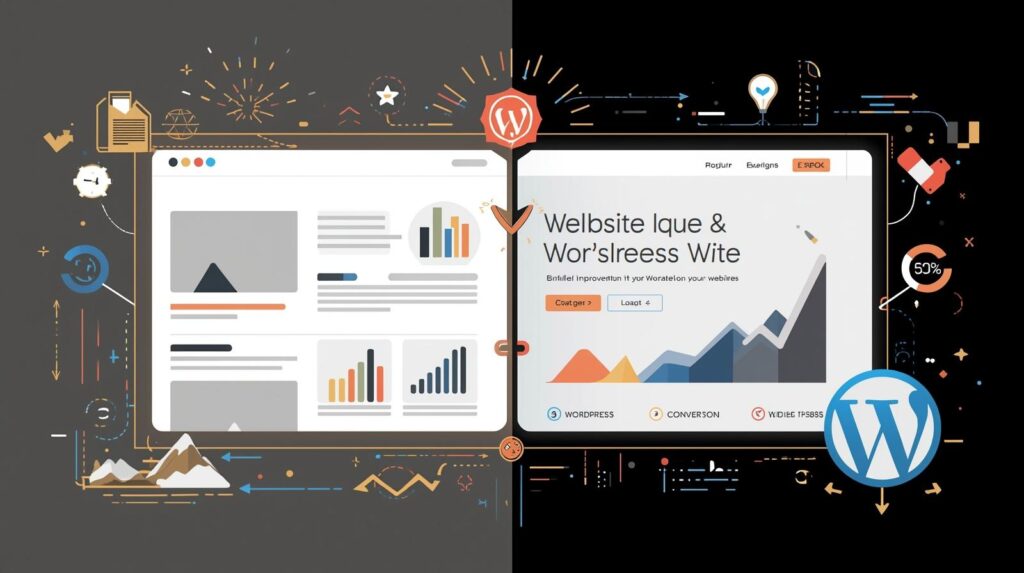
If there’s one thing I’ve learned in my 3+ years as a Freelance WordPress Web Developer, it’s this: a WordPress website redesign can transform your outdated site into a high-performing, fast, and conversion-ready platform. Most businesses don’t need a brand-new website — they need a smarter, modern version of the one they already have.
And that’s exactly where a strategic WordPress website redesign comes in.
Whether I’m working with small businesses, e-commerce stores, or service providers, I’ve seen one common problem:
✅ Their website looks “fine”…
❌ but it’s slow, outdated, hard to navigate, or simply not making sales.
A redesign isn’t about “making the site pretty.”
It’s about boosting performance, modernizing the UX, improving SEO, and guiding visitors to take action.
In this article, I’ll share:
- Why most websites need a redesign every 2–3 years
- How redesigning improves speed, SEO, and conversions
- My personal step-by-step redesign process
- A real comparison of old vs. redesigned websites
- Practical insights from my client projects
- And how you can decide whether your website needs an upgrade
Let’s dive deep.
Why a WordPress Website Redesign is Essential for Modern Businesses
The digital world has changed drastically. Google updates, Core Web Vitals, AI-driven search, mobile behavior — everything affects how your website performs.
Here’s what I see every week while auditing websites:
Common Issues in Old WordPress Websites
- Slow loading time (often 5–8 seconds)
- Outdated themes bloated with unnecessary scripts
- Poor SEO structure
- Unclear CTAs
- Low mobile responsiveness
- Cluttered layouts
- Old content that doesn’t match new brand goals
- Plugin conflicts slowing the website
- Weak conversion funnels
When I redesigned an e-commerce client’s website recently, simply fixing speed, layout, and product structure increased their conversions by 28% in the first month.
That’s the power of a well-planned redesign.
How a WordPress Website Redesign Boosts Speed, SEO & Sales
Based on my experience working with clients worldwide, these are the three biggest improvements businesses feel immediately:
1. Faster Speed & Better Performance
Google’s Core Web Vitals now directly impact your ranking.
A slow website = lost conversions + lower SEO visibility.
During a redesign, I focus on:
- Removing heavy themes
- Shifting to lightweight frameworks like Block Theme or Astra
- Optimizing images with WebP
- Implementing caching (LiteSpeed/NitroPack)
- Cleaning unused plugins
- Minimizing CSS & JS
- Using a CDN
- After speed optimization, most websites I redesign achieve:
- 1.2–1.8s loading time
- 90+ PageSpeed score
- Smooth mobile performance
2. Improved Search Engine Optimization (SEO)
When redesigning, I fix:
- Broken links
- Poor URL structure
- Missing headings
- Low-quality content
- Improper internal linking
- Missing schema
- Outdated metadata
I also implement:
- Topic-based SEO structure
- Content clusters
- Experience-based pages
- Optimized landing pages
- Internal linking to pillars (e.g.,
All of this helps Google understand your website better.
3. Better User Experience = More Sales
A redesign focuses on human behavior:
- Clear CTAs
- Mobile-first layouts
- Faster checkout (for stores)
- Modern typography
- Minimalist interface
- Smooth navigation
Combining UX + conversions = better ROI.
One client from UAE saw his lead generation double simply because we:
- simplified the homepage
- added stronger CTAs
- organized service pages
- improved forms
Redesigning isn’t just design — it’s strategy.
A Real Comparison: Old vs. Redesigned WordPress Website (From My Projects)
Here’s a quick comparison table from a real client redesign (business site):
| Element | Old Website | Redesigned Website |
|---|---|---|
| Page Speed | 6.7s | 1.5s |
| Mobile Score | 42 | 95 |
| Homepage Layout | Cluttered, outdated | Clean, minimal, high-converting |
| SEO | Weak | Fully optimized with schema |
| Content Structure | Unorganized | Clear hierarchy & internal links |
| Calls-to-Action | Hidden | Clear CTA in header & footer |
| Conversion Rate | 1.8% | 4.9% |
This table alone shows why redesigns are worth it.
Step-by-Step Guide to a Successful WordPress Website Redesign
This is the exact process I follow with clients.
Step 1: Website Audit (Speed, SEO, UX, Content)
I start by analyzing:
- Core Web Vitals
- SEO technical errors
- Mobile responsiveness
- Navigation flow
- Branding consistency
- Checkout funnel
- Content quality
This helps me understand what’s working — and what’s not.
Step 2: Research Competitors & Industry Benchmarks
Using tools like:
- Ahrefs
- SEMrush
- Google Analytics
- Hotjar
I study:
- What competitors are ranking for
- Their website structure
- Conversion elements
- UI trends
This gives my clients a competitive edge.
Step 3: Planning the New Structure
I map out:
- New navigation
- Updated pages
- New internal linking strategy
- New CTAs
- New content hierarchy
- Better category structure
- Modern layout direction
This is the point where the “new website” is born.
Step 4: Designing a Modern & Luxury Layout
Since I prefer dark, modern, luxury designs, most of my redesigns include:
- Minimalist sections
- Smooth typography
- Clean spacing
- High-end color palette
- Professional icons & animations
- Premium imagery
But I tailor everything to the client’s brand.
Step 5: Speed Optimization
This is where we fix everything under the hood.
- Clean coding
- Lightweight theme
- Minified scripts
- Lazy loading
- CDN setup
- Cache configuration
Speed is not optional in 2025.
Step 6: SEO Revamp
I improve all major SEO pillars:
- On-page keywords
- Meta details
- Technical SEO
- Schema markup
- Internal links
- Image alt text
- URL slugs
- Redirects
This ensures the site doesn’t lose ranking after redesign.
Step 7: Testing Across All Devices
Before launch, I test for:
- Mobile view
- Tablet view
- Desktop
- Browser compatibility
- Form functionality
- Speed
- Accessibility
Nothing goes live unless it passes all tests.
Step 8: Launch & Post-Launch Optimization
Once the site is live, I track:
- Bounce rate
- Page views
- Heatmaps
- Speed
- Conversion rate
I make adjustments based on real user data.
How to Know If Your WordPress Website Needs a Redesign
Here are clear signs:
- It loads slowly
- You haven’t updated it for 2–3 years
- Traffic is dropping
- Looks outdated compared to competitors
- Not optimized for mobile
- Poor sales or low conversions
- Hard to navigate
- Backend is messy
- Using too many plugins
- SEO performance is weak
If your website checks 3 or more boxes…
It’s time for an upgrade.
Helpful External References (Naturally Linked)
Here are some trusted sources that guide my redesign decisions:
- Google’s Core Web Vitals guidelines
- HubSpot’s conversion optimization insights
- WPBeginner’s updated WordPress performance guide
These help ensure the redesign follows current best practices.
Conclusion: A Website Redesign Isn’t a Cost | It’s an Investment in Growth
A strategic WordPress website redesign can transform how people experience your brand.
When your website becomes:
- Faster
- Clearer
- More modern
- SEO-optimized
- Mobile-friendly
- Conversion-driven
…your business automatically becomes more trustworthy.
Over the years, I’ve helped businesses redesign their websites not just for design — but for real results.
If you feel your website needs a fresh start, better performance, or a complete revamp…
a redesign may be the smartest step you take this year.
Your Next Step
If you want your website redesigned for better speed, SEO, UX, and sales — feel free to reach out.
👉 Explore my portfolio: https://elemeentra.com/works/
👉 Check my services: https://elemeentra.com/services/
👉 Or contact me directly for a professional WordPress redesign.
Let’s upgrade your website into a high-performing digital asset.


One Response